Showing posts with label check. Show all posts

You Can Check The Specs easily..

Simply Open The Start Then Run And Then Type dxdiag..

                                                           
Check System Specification

      
Then Click On Ok..                   

Then You Will See That That Type Of Window...

    
System Information

                      Thats End You Can See All That You Want to know..

Or...

Another way Just Right Click On My Computer And Click On Properties...  But Mostly People Use First Method To View All About Specs..


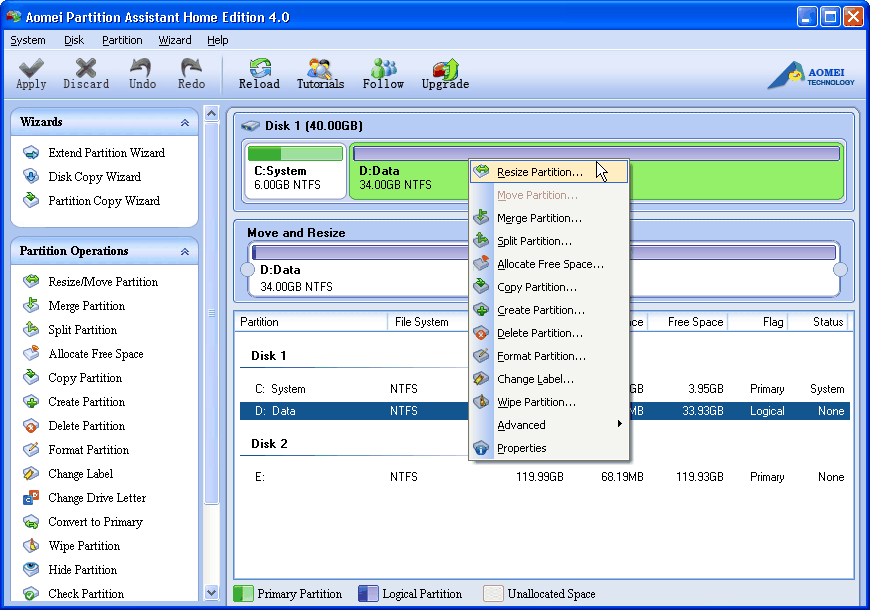
Right click on a partition (here’s D) you want to shrink and select "Resize Partition"
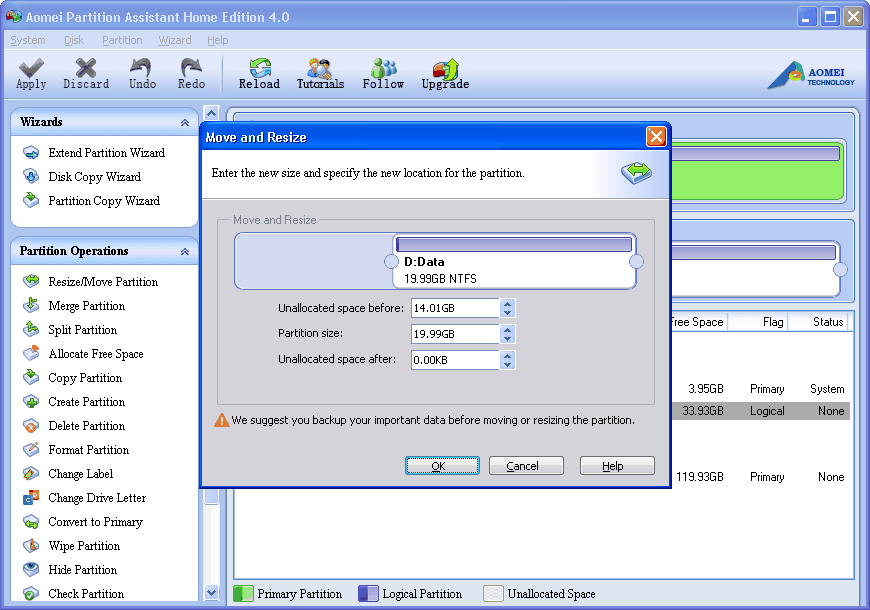
In the pop-up window, position the mouse pointer on the left handle and drag the slider bar rightwards to shrink Windows XP partition as shown below:


Click "OK". You can find there is contiguous unallocated space behind C drive. Then, select C drive and drag the right handle rightwards to extend Windows XP partition as shown below:
You can preview the extended partition (here’s C) and shrunk partition (here’s D). To save changes, do remember click "Apply" on the toolbar. 

IP Address Checker

Powered by Blogger.